

Technology is a part of everyday life, offering children opportunities to learn, connect, explore, and be entertained. While these opportunities can be beneficial, navigating the digital world also comes with challenges. For parents and caregivers, knowing what tools are available and how to use them can make a difference in creating a safer online environment.
Whether you're preparing to give your child their first device or looking for ways to better manage the technology they already use, there are resources available to help support your family.
When Is the Right Time for a First Phone?
One of the most common questions parents ask is, “When should I give my child a cell phone?”
There is no one-size-fits-all answer. While many families choose to introduce a personal device during the middle school years, the decision should be based on a child's individual maturity, developmental needs, ability to follow boundaries, and reasons for needing a device.
The key is not just the timing, but the guidance that comes with it.
Before introducing a new device, consider the following:
Start simple. Consider a starter phone or smartwatch with limited features before introducing a fully functioning smartphone.
Set up privacy settings together. Walk through device, social media, and app settings side by side so your child understands why they are important.
Establish expectations early. Discuss when, where, and how technology can be used.
Have proactive conversations. Engage in age-appropriate discussions about inappropriate content, pornography, healthy sexuality, media literacy, and online interactions.
Encourage open communication. Make sure your child knows they can come to you if they encounter something online that makes them feel uncomfortable, confused, or unsafe.
Tech Tip: Treat your child's first phone like a learner’s permit. Monitor, guide, and gradually provide more independence as trust and responsible digital habits are established.
Understanding Parental Control Tools
Parental control tools can provide an additional layer of protection as children learn to navigate the digital world. Depending on the platform, these tools can help parents and caregivers:
Manage screen time and device schedules.
Filter potentially harmful or inappropriate content.
Restrict access to certain apps and websites.
Monitor online activity and communications.
Receive alerts about potentially concerning activity.
Utilize location tracking and safety check-ins.
With so many options available, knowing where to start can feel overwhelming. Below are four parental control tools families may want to explore.
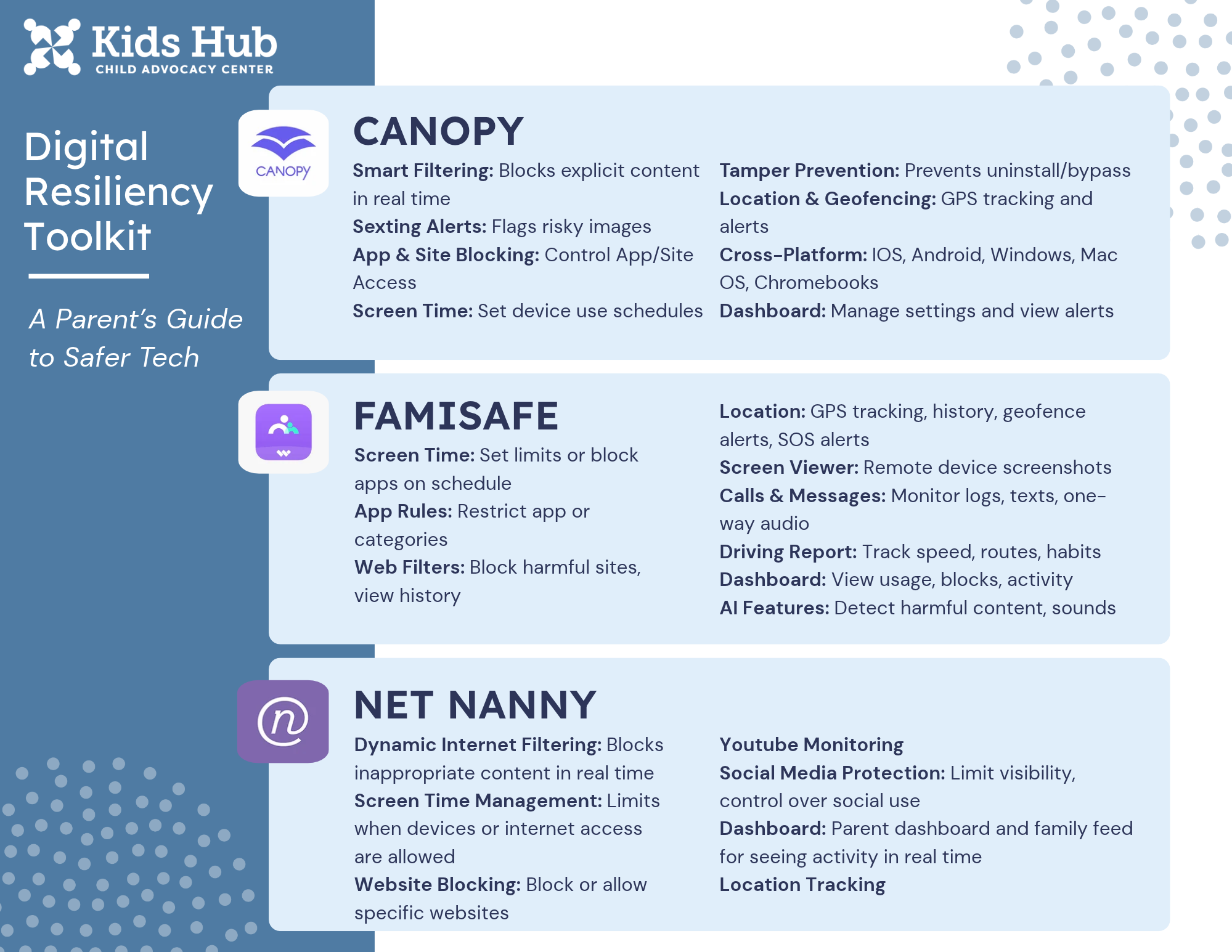
Canopy
Canopy focuses on helping protect children from explicit and inappropriate online content. Its features include real-time content filtering, sexting alerts, app and website blocking, screen time management, location tracking, and tamper prevention.
FamiSafe
FamiSafe offers a variety of tools to help parents manage and monitor their child's digital activity. Features include screen time management, app restrictions, web filtering, location tracking, communication monitoring, and driving reports for families with teen drivers.
Net Nanny
Net Nanny offers internet filtering and tools to help families manage their children's online experiences. Features include website blocking, screen time management, YouTube monitoring, social media protection, and location tracking.
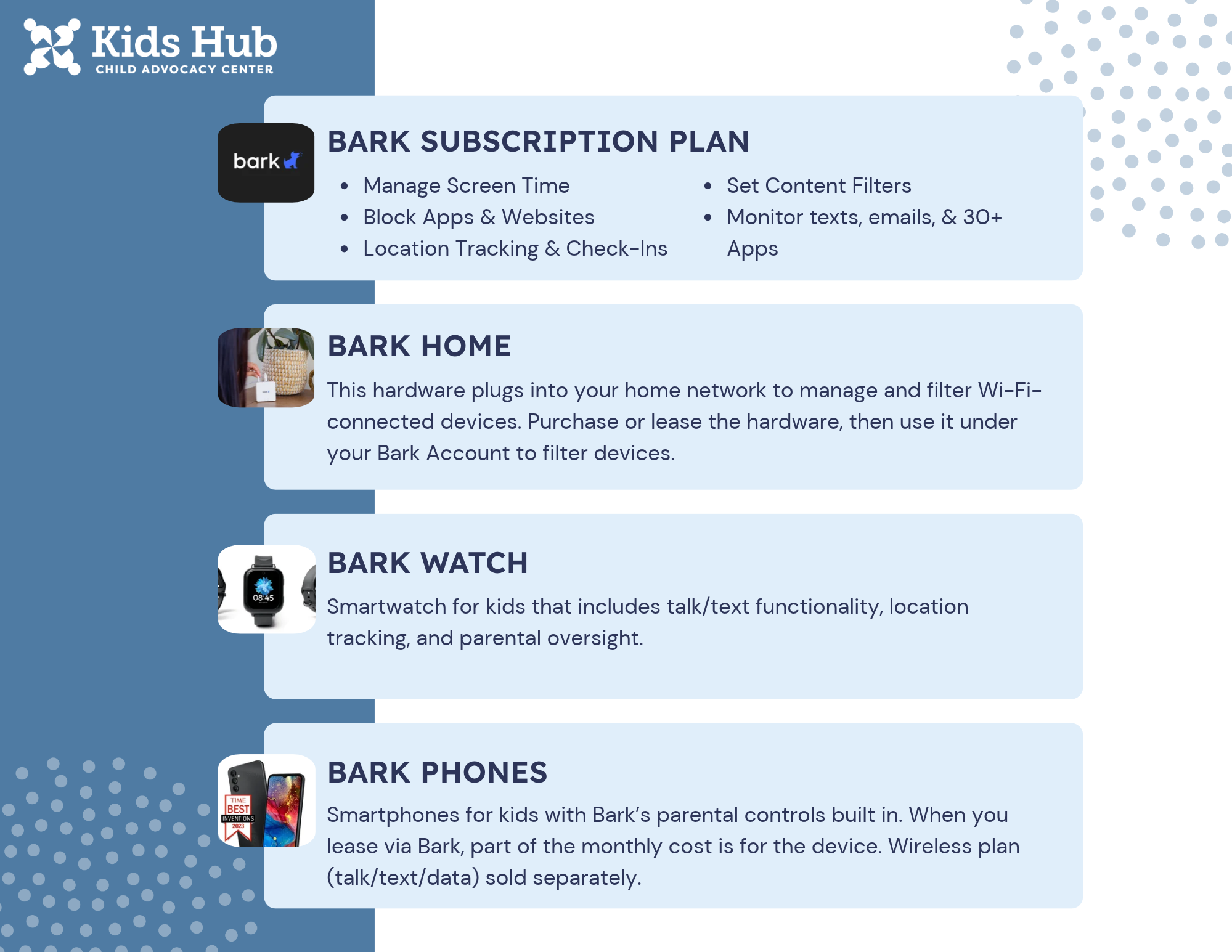
Bark
Bark offers a variety of products and services designed to support families at different stages of their technology journey.
Bark Subscription Plan: Offers content filtering, screen time management, app and website blocking, location tracking, and monitoring of supported communications and apps.
Bark Home: Helps families manage and filter devices connected to their home Wi-Fi network.
Bark Watch: A smartwatch designed for children that includes calling, texting, location tracking, and parental oversight.
Bark Phone: A smartphone designed for children with built-in parental controls.
Each of these tools offers different features, and what works well for one family may not be the best fit for another. Take time to research available options, device compatibility, privacy practices, and subscription costs before making a decision.
Product features, pricing, availability, and device compatibility may change. Visit each provider's official website for the most up-to-date information.
Choosing What Works for Your Family
When selecting a parental control tool, consider your child's age, maturity, and technology use, as well as your family's needs and expectations.
Ask yourself:
What devices, apps, and platforms does my child use?
What online safety concerns do I want to address?
What level of monitoring is appropriate for my child's age and maturity?
How can I balance safety, privacy, and growing independence?
How will I communicate these expectations with my child?
The goal is not to monitor every aspect of a child's digital life, but to provide appropriate guidance and protection while helping them develop the skills to make safe, responsible decisions independently.
Technology Is a Tool, Not a Replacement for Parental Involvement
While parental control tools can be valuable resources, no app, filter, or monitoring system can guarantee a child's safety online.
These tools are most effective when paired with open communication, consistent boundaries, age-appropriate education, and ongoing parental involvement.
Talk with your child about why certain safety measures are in place. Revisit expectations as they grow, and create an environment where they feel comfortable asking questions, sharing concerns, and coming to you when something goes wrong.
Building digital resiliency is about more than protecting children from online risks. It's about equipping them with the knowledge, confidence, and skills to navigate the digital world safely and responsibly.
Safer technology starts with informed decisions, intentional guidance, and ongoing conversations.